How to Check If My Google Account Is Pro, Plus, or Ultra
Google bundles its AI memberships with Google One storage, dividing personal accounts into Free, Plus, Pro, and Ultra tiers. If you know you have a paid plan but aren’t sure which tier it is, one quick look at your account dashboard will tell you.
1. How to Check Your Exact Plan Tier
Sign in to your Google account and open the subscription management page:
- Subscriptions Page: https://myaccount.google.com/subscriptions
- Payments & Subscriptions: https://myaccount.google.com/payments-and-subscriptions
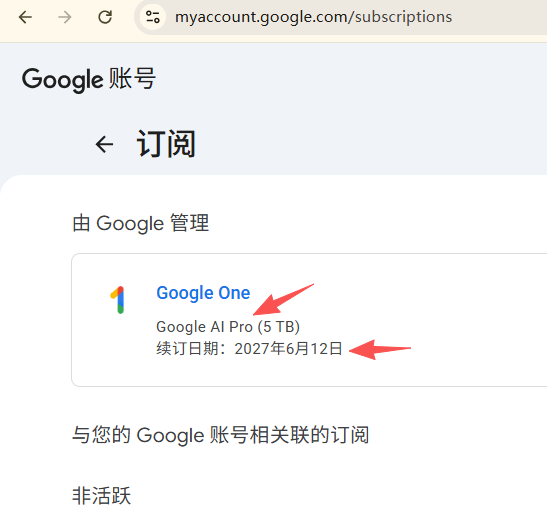
The first line under Google One states both your tier and storage capacity. For instance, Google AI Pro (5 TB) confirms the account is on the Pro plan. In the English interface, you’ll also see a dedicated shortcut like Google AI Pro plan in the left navigation bar.
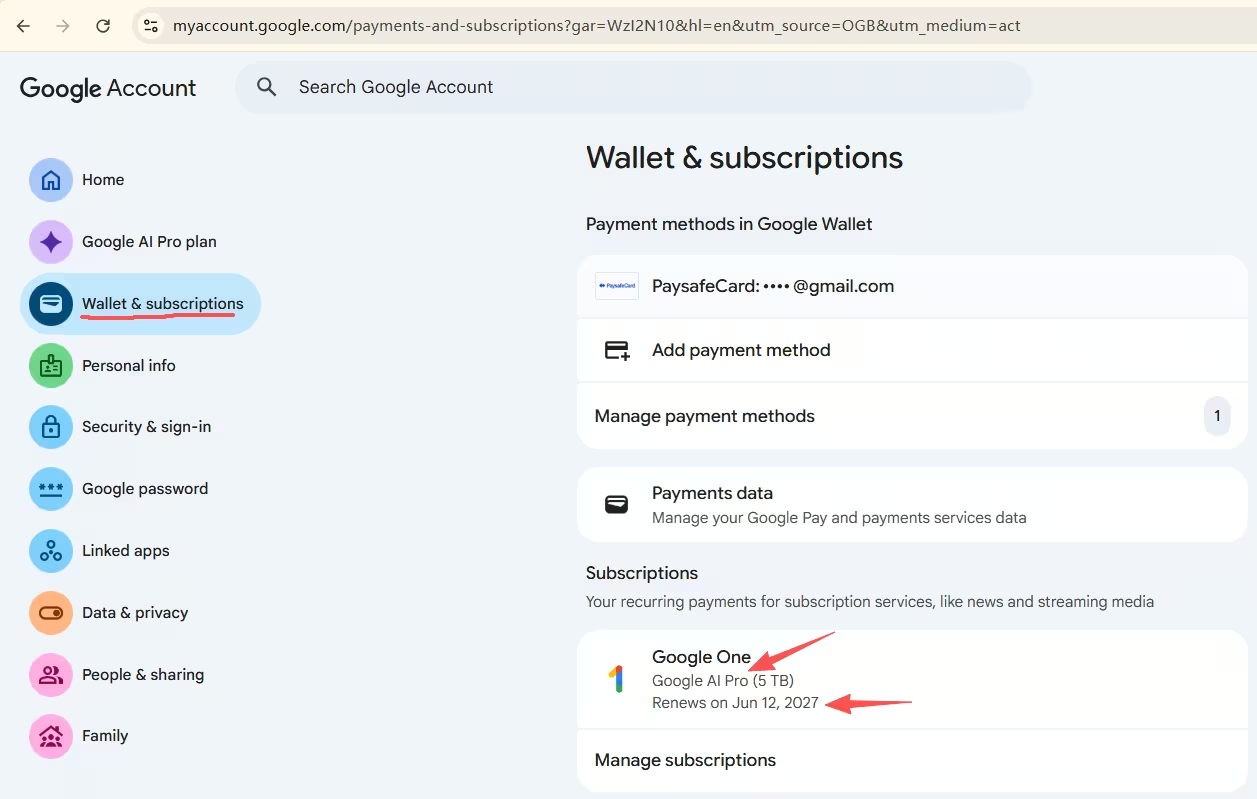
If the Subscriptions section is empty and you only have the default 15 GB of Drive storage, it’s a standard free account.
2. Plus vs. Pro vs. Ultra Comparison
Here is how the tiers compare across pricing, storage, model access, and image capabilities:
| Plan Tier | Ref. Price (USD) | Cloud Storage | Models & Usage Quota | Image Generation & Editing | Extra Perks |
|---|---|---|---|---|---|
| Free | $0 | 15 GB | Basic models only; easily rate-limited at peak hours | Basic text-to-image and simple edits with low daily limits | None |
| Google AI Plus | ~$4.99/mo | 400 GB | Roughly 2x Free usage; solid for everyday tasks | Supports Nano Banana image generation and editing with moderate quota | Basic Google app integration |
| Google AI Pro | $19.99/mo | 5 TB | 4x+ higher quota; unlocks flagship models like Gemini 4 Argon | High-res AI image generation and multi-turn local edits with generous quota | Workspace AI, Antigravity Pro-tier quota, YouTube Premium Lite (select regions) |
| Google AI Ultra | $99.99 (5x) or $199.99/mo (20x) | 20 TB+ | 5x–20x peak limits; full access to frontier models like Gemini 4 Carbon | Heavy-duty image generation, editing, and Google Flow creative credits | Top-priority Antigravity access & YouTube Premium Family plan |
Note: Local currency pricing varies slightly by region, though the plan names and core features remain the same.
3. Image Editing and Model Speed Tips
Two practical questions people often ask:
- Can you generate and edit images?
Yes. Gemini includes Google’s Nano Banana image models, supporting both text-to-image creation and uploading photos for background swaps or local edits. Plus and above handle daily creative tasks easily, while Pro and Ultra offer higher resolution and more room for iterative edits. - What if the model feels slow?
If a heavy reasoning model takes too long to think or lags during coding or long chats, switch to Gemini 4 Hydrogen or Gemini 3.8 Flash. Both respond much faster and usually wrap up standard tasks in under a minute.