How to Check the Expiration Date of Your Gemini AI Account
Many users look for their subscription expiration date inside gemini.google.com or the Gemini mobile app, only to come up empty-handed. That’s because Google manages all AI membership billing and renewal cycles centrally under your Google Account (Google One) Subscriptions, not inside the chat interface.
1. Where to Check Your Gemini Account Expiration Date
Sign in with the same Google account you use for Gemini and open either of these official pages:
- Direct Subscriptions List: https://myaccount.google.com/subscriptions
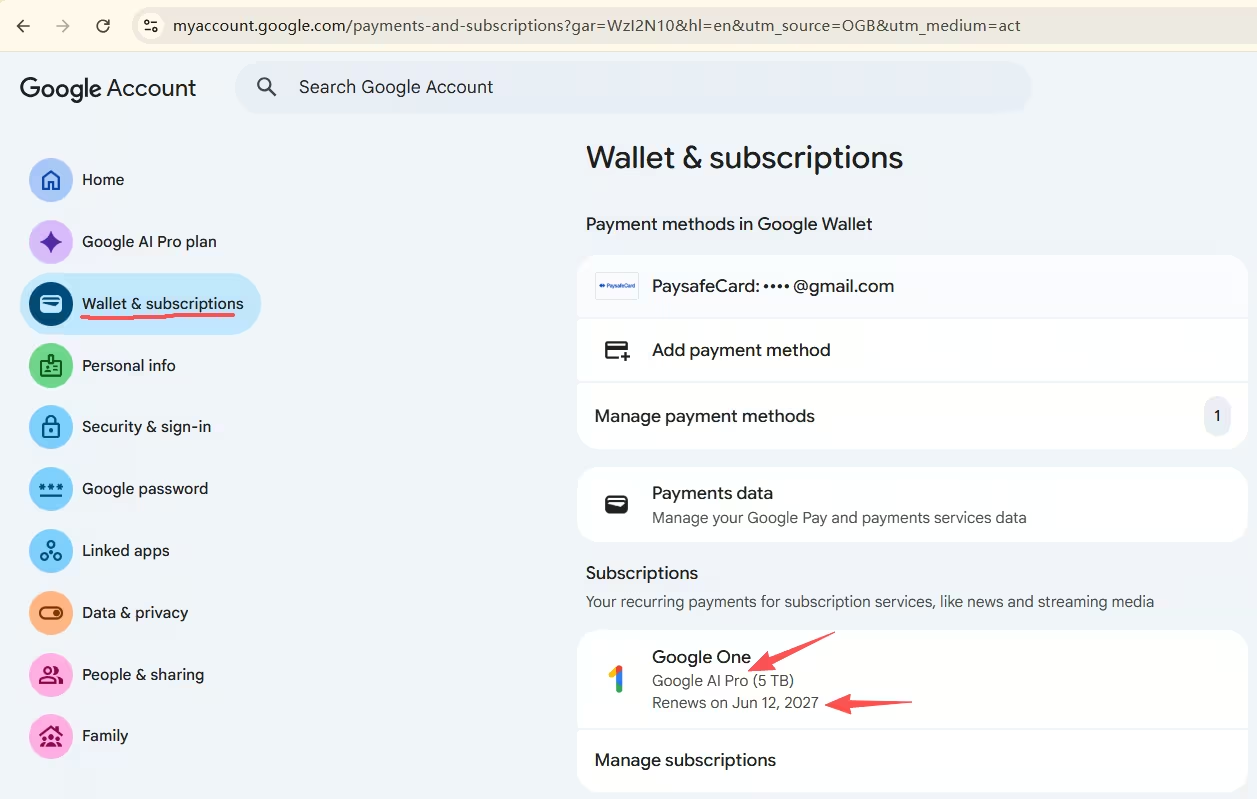
- Payments & Subscriptions Overview: https://myaccount.google.com/payments-and-subscriptions
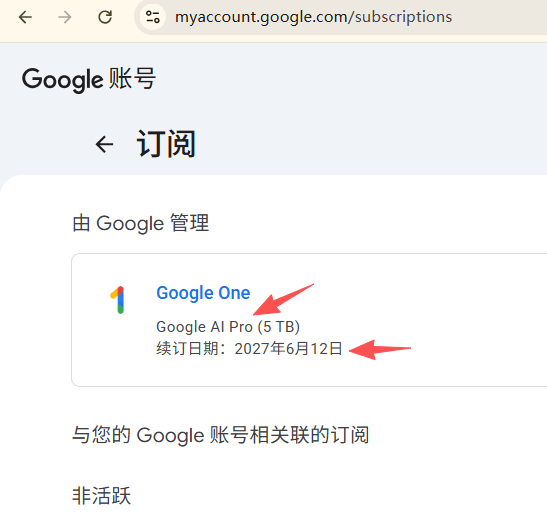
Look for the Google One card (your Gemini subscription is bundled here). The two lines pointed out by the arrows tell you everything:
- First line: your plan tier and storage, e.g.
Google AI Pro (5 TB). - Second line:
续订日期:2027年6月12日(orRenews on Jun 12, 2027in English), which is the end date of your current billing cycle.
2. Two Practical Gemini Tips
1. Can Gemini generate and edit images?
Yes. You can generate images directly from prompts or upload an existing photo to make targeted edits—like swapping backgrounds, removing objects, or changing lighting—powered by Google’s Nano Banana image models. Plus, Pro, and Ultra subscribers get significantly higher daily limits for both generation and editing.
2. Which model should you switch to if responses feel slow?
If a heavy reasoning model is taking too long to think during everyday tasks, open the model selector and switch to Gemini 4 Hydrogen or Gemini 3.8 Flash. Gemini 4 Hydrogen in particular delivers fast responses without sacrificing comprehension, making it great for daily writing and quick coding help.