How to Check the Next Renewal Date for Your Google Account
When you have an active Google One or Google AI plan, it’s easy to forget when the next automatic charge is coming up—especially if you plan to cancel or switch tiers beforehand. Instead of hunting through bank statements, you can check the exact renewal date in your Google Account in under a minute.
1. Official Pages to Check Your Next Renewal Date
Sign in to your Google account and open either page:
- Payments & Subscriptions Overview: https://myaccount.google.com/payments-and-subscriptions
- Direct Subscriptions List: https://myaccount.google.com/subscriptions
2. Reading the Renewal Date and Payment Method
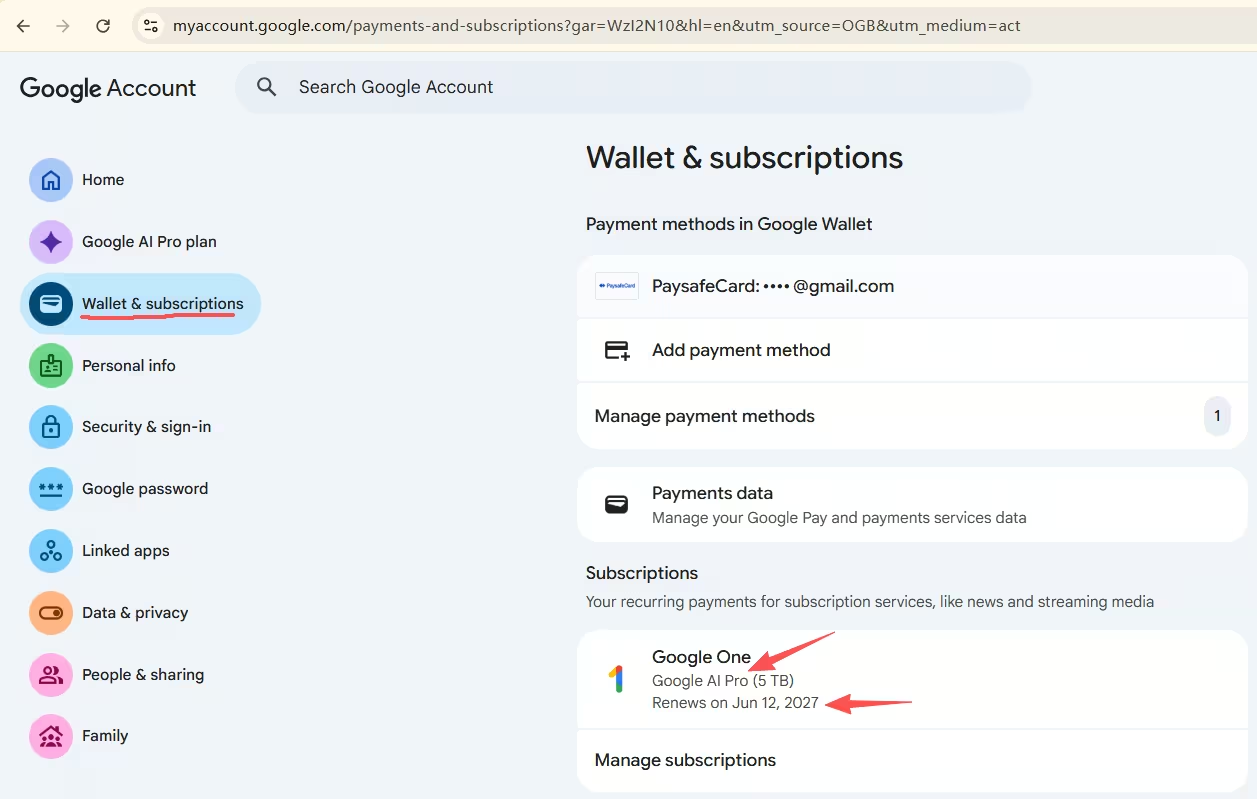
Click Wallet & subscriptions on the left in the English UI to see two things at once:
- Active Payment Method: Under
Payment methods in Google Walletat the top, you’ll see the card or wallet on file (e.g.PaysafeCardin the screenshot), so you know where the next charge will go. - Next Renewal Date: Scroll down to
Google OneunderSubscriptions. The lineRenews on Jun 12, 2027shows the exact upcoming billing date.
In the Chinese interface (or /subscriptions), this appears as 续订日期:2027年6月12日, which means the exact same thing.
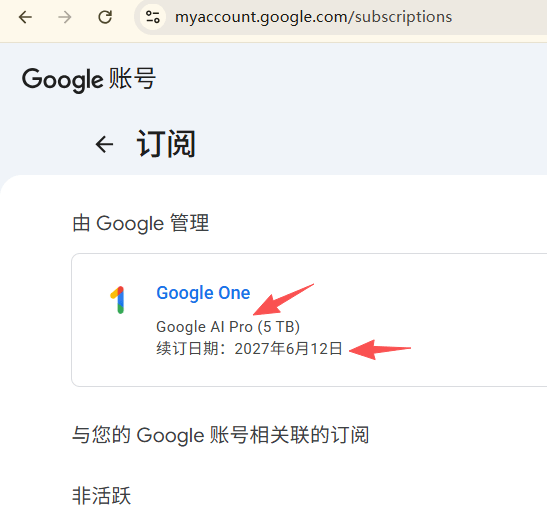
3. Three Things to Keep in Mind
- “Renews on” vs. “Expires on”: As long as it says
Renews on ...(or续订日期), auto-renewal is still active and you will be billed on that date. If you already canceled inside Manage subscriptions, the wording changes to show when access ends with no further charges. - Allow for Time Zone Differences: Google bills according to the account region’s time zone. If you want to cancel or downgrade, do it 1–2 days before the listed date to avoid a last-minute charge.
- Check Whether It’s Monthly or Annual: A renewal date far into the future (like 2027 in the screenshot) usually indicates an annual or multi-period promotional plan. Double-check your billing cycle if you only intended to try it for a month.
How to Check the Next Renewal Date for Your Google Account
https://365note.abctool.info/p/check-next-renewal-date-for-google-account/