How to Check Your Google Account Plan Price: Is It Free or Paid?
When managing multiple Google accounts—or checking a pre-owned account—it’s easy to lose track of whether an account is on a free tier or an active paid plan, and how much it costs each month. Instead of digging through old Gmail receipts, you can verify everything directly in the Payments & Subscriptions dashboard.
1. Step 1: Check If the Account Is Free or Paid
Open the Google Account Payments & Subscriptions page:
- Payments & Subscriptions: https://myaccount.google.com/payments-and-subscriptions
- Subscriptions Page: https://myaccount.google.com/subscriptions
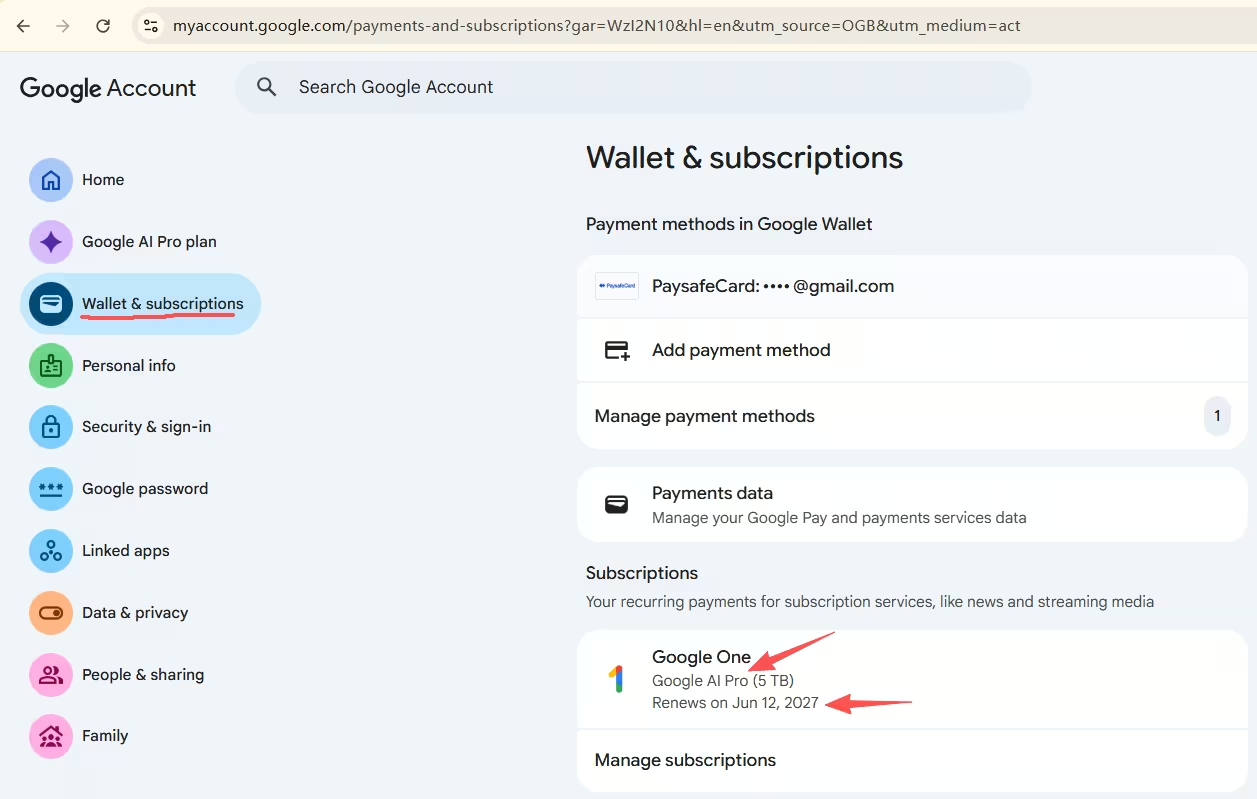
Scroll down to the Subscriptions section at the bottom:
- Free Account: This area will be empty or say you have no active subscriptions (expired ones appear under “Inactive”).
- Paid Account: An active service card is displayed—for example,
Google OneshowingGoogle AI Pro (5 TB)andRenews on Jun 12, 2027.
You can also check Payment methods in Google Wallet right above it (such as PaysafeCard in the screenshot) and Payments data to review past billing history if charges were made before.
2. Step 2: Find Out the Plan Price
The /subscriptions overview card only shows the plan name and renewal date, not the exact dollar amount.
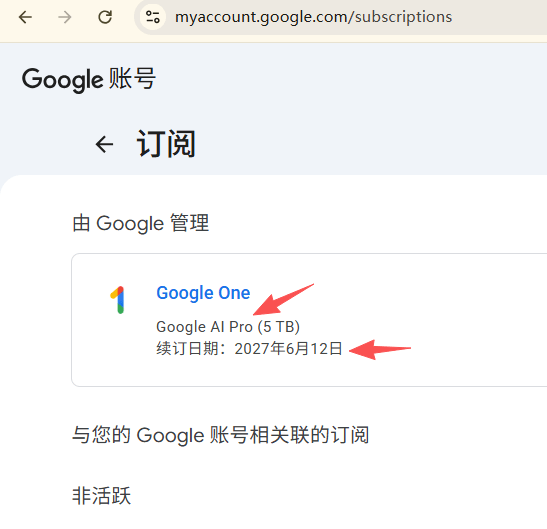
To see the exact billed amount, click Manage subscriptions below the card, or match the displayed plan name against Google’s standard tiers:
Google AI Plus (Entry Paid Tier)
Typically around $4.99/month with 400 GB of storage. Best for light users who want roughly double the free Gemini quota for everyday writing and research.
Google AI Pro (Mainstream Tier)
Priced at $19.99/month (with occasional annual or regional discounts) and 5 TB of storage. Offers the best value overall, unlocking higher-tier models, Gmail/Docs AI integration, and Antigravity coding quota.
Google AI Ultra (Heavy-Duty Tier)
Built for developers and power creators at $99.99/month (5x) or $199.99/month (20x), starting at 20 TB of storage. Unlocks frontier models like Gemini 4 Carbon along with massive video and image generation credits.
3. Can Paid Accounts Generate and Edit Images?
Both free and paid Google accounts can generate and edit images inside Gemini using Google’s Nano Banana image models. The main difference is quota and consistency: free accounts hit daily limits quickly on complex edits, whereas Plus, Pro, and Ultra plans provide higher-resolution output and much more headroom for multi-step image adjustments.