Open ZIP/RAR Archives Online: Extract and Preview Files Inside (Mobile & PC Friendly)
Ever received an archive via email or chat on your phone or work computer, only to realize you don’t have an unzip app installed? Downloading a bloated 200MB extractor app on mobile is annoying, and if the archive is several gigabytes, unpacking the whole thing just to check one photo or invoice wastes valuable time and storage.
This free online archive viewer solves that dilemma. It allows you to open, browse, and inspect archive contents directly inside your web browser—without installing any desktop software or mobile apps.
Tool Link: Online ZIP & RAR File Viewer
https://abctool.info/open/zip/en/
How to Use It
- Open the Online ZIP Viewer.
- Import Your Archive: Click the button to pick a file, drag and drop it onto the page, or simply paste it with
Ctrl + Von desktop. - The directory tree appears instantly. Click any file to preview its contents right away.
Key Features & Highlights
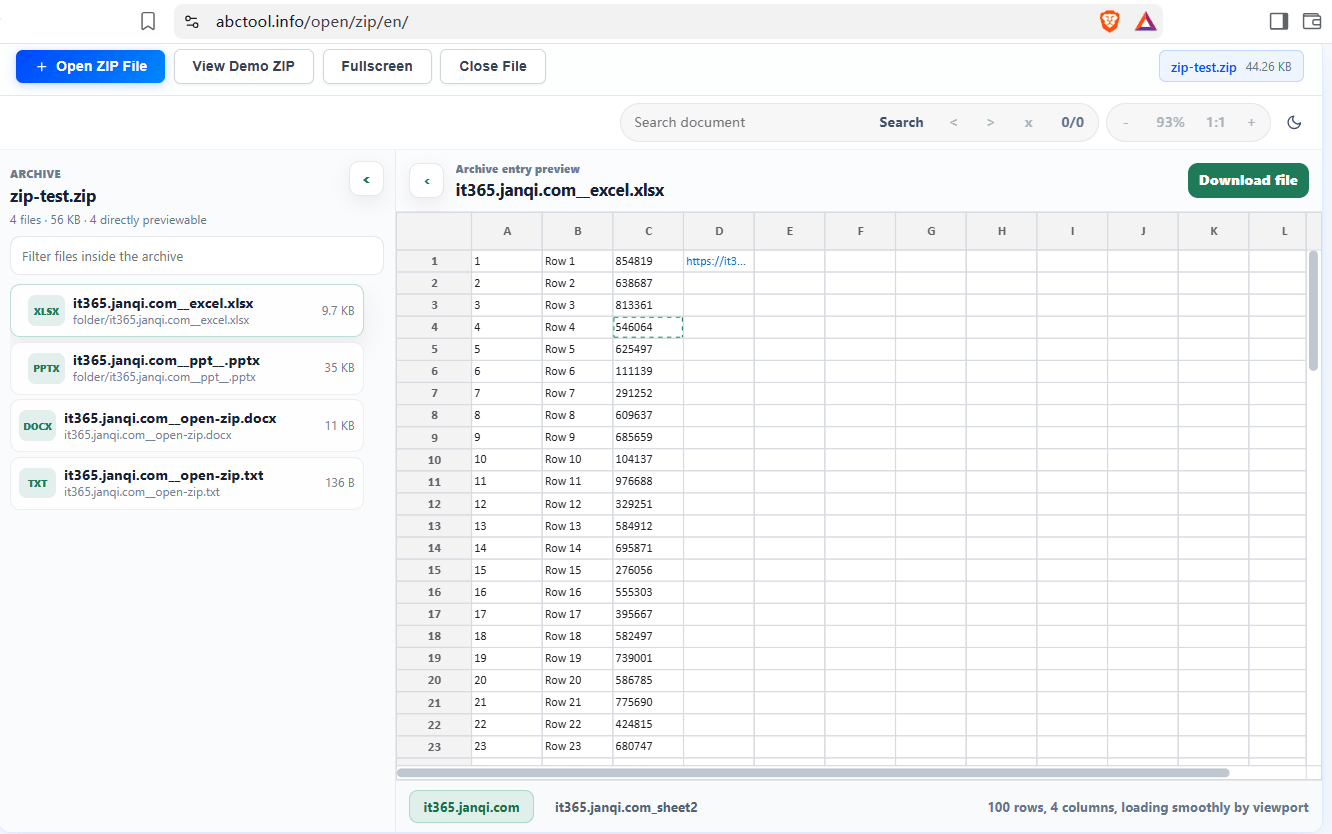
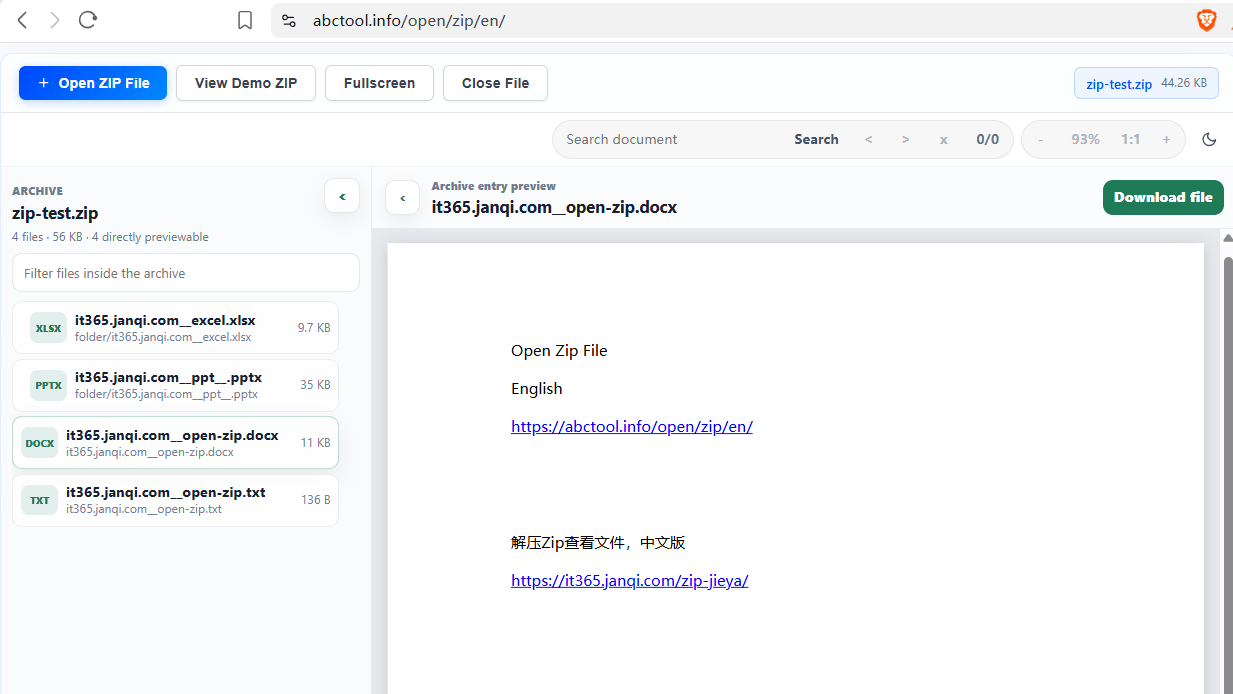
- Preview Office Docs Without MS Office: View Word docs (
.docx,.doc), Excel sheets (.xlsx,.xls,.csvwith multi-sheet tab switching), PowerPoint presentations (.pptx,.ppt), and PDFs without installing Microsoft 365 or WPS. - Inspect Nested Archives Recursively: If an archive contains other
.zip,.7z, or.tarfiles inside, you can click directly into them to browse deeper without manually extracting each layer. - Extract & Download Single Files On Demand: No need to unpack multi-gigabyte archives completely. Find the exact file you need and download it individually to save disk space.
- Instant Search & Filtering: When browsing archives packed with hundreds of files, type any keyword or extension (like
.pdf,invoice,.png) in the search bar to locate it in seconds. - Built-in Media Player & Code Highlighting: Zoom in on high-resolution images (PNG, JPG, WebP, GIF), play video (MP4, WebM) and audio (MP3, WAV, FLAC) on the fly, and view code scripts (JSON, JS, Python, HTML, SQL, Markdown, etc.) with clean syntax highlighting.
- Encrypted Archive Support: If your ZIP file is protected by a password, a prompt will ask for the password to unlock and inspect files seamlessly.
- Universal Multi-Platform Support: Works on Windows, macOS, Linux, Chromebooks, iPhone (iOS), and Android devices across all modern browsers.
- 100% Client-Side Privacy: Your files are never uploaded to remote servers. Everything runs locally in your browser memory, keeping confidential business files and personal photos strictly private.
If you want to preview the files in a compressed archive without extracting them to your disk, this little tool is quite useful. It comes with built-in viewers for Word, docx, tables, ppt, and more, covering almost all types of files within a compressed archive. It’s practically a universal file viewer, supporting many file formats and nearly 300 file extensions.
Here is what previewing Excel spreadsheets and Word documents looks like inside an archive:
It also supports many types of compressed files.
Supported Archive Formats
In addition to standard .zip files, the underlying parser supports dozens of popular archive, package, and disk image formats:
- Standard Archives:
.zip,.zipx,.7z,.rar,.tar,.gz,.gzip,.tgz,.bz2,.bzip2,.tbz,.tbz2,.xz,.txz,.lzma,.zst - Application Packages & Disk Images:
.apk(Android packages),.iso(CD/DVD images),.jar,.war,.ear(Java packages),.cab,.cpio,.ar,.xar,.lha,.lzh - Comic Book Archives:
.cbz,.cbr
Try It Online
- English Version: https://abctool.info/open/zip/en/
- Chinese Version (it365): https://it365.janqi.com/zip-jieya/