Cannot Paste Copied Image to Folder or Desktop? Here Is the Quick Fix
Many of us frequently run into this frustrating scenario:
- You right-clicked and copied an image on a webpage, but Windows Explorer won’t let you paste it onto your desktop.
- You copied an image from a chat app (like WeChat, Slack, or Discord) or a photo viewer, but can’t paste it directly into a folder as a file.
- You copied a layer in Figma or an online design tool, and exporting it as a standalone image takes too many extra clicks.
Here is the fastest and easiest way to solve this:
- Open the Paste to Save Image Tool (URL: https://it365.janqi.com/paste-to-save-image/en/).
- Press Ctrl + V (or Cmd + V on Mac), or click the on-screen paste button.
- The browser instantly converts the clipboard data and triggers an automatic file download.
This completely bypasses the limitation where operating systems refuse to let you paste raw clipboard bitmaps directly into file folders.
Screenshot Preview
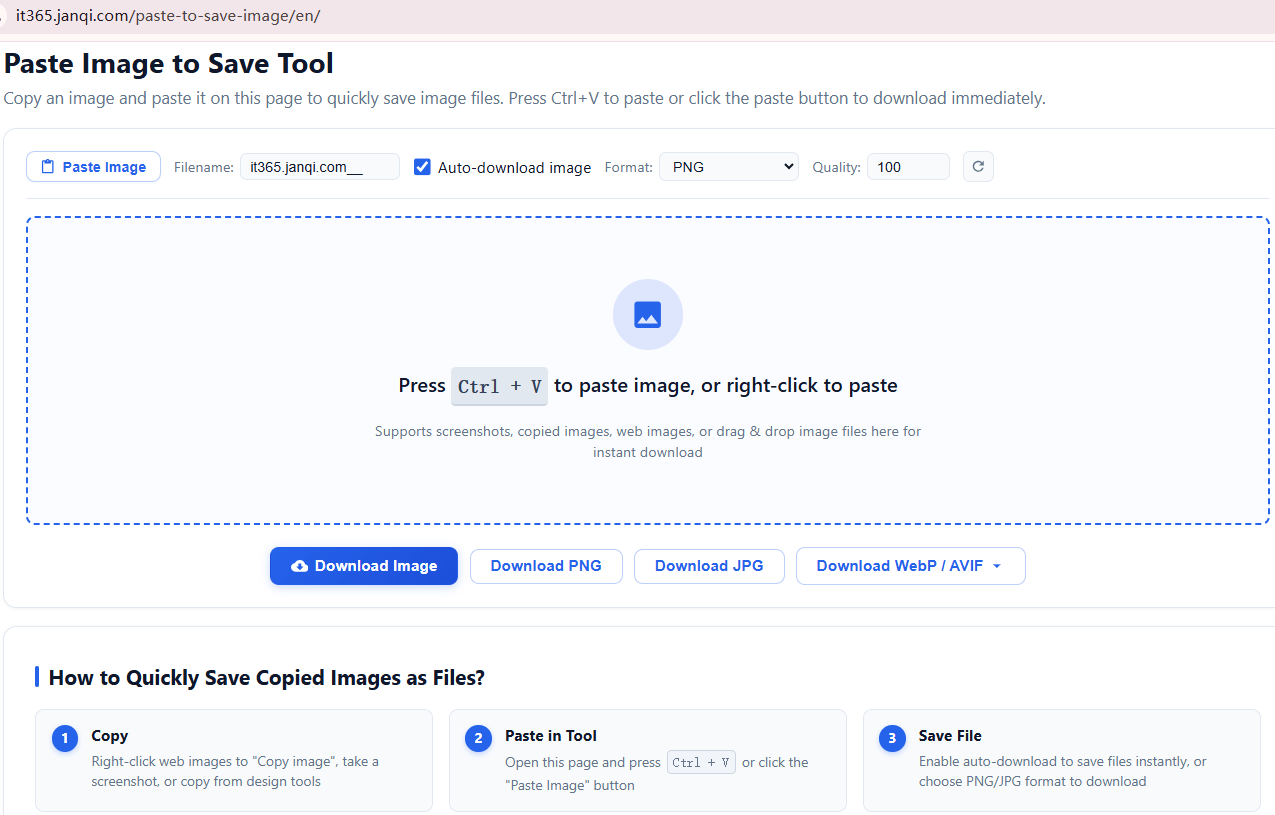
What Pain Points Does This Tool Solve?
- Direct Clipboard-to-File Export: Quickly extract images stored in memory and save them to disk.
- Fast Screenshot Saving: Dramatically streamlines the PrintScreen workflow—no need to launch Paint, resize the canvas, and manually save.
- Figma & Design Layer Export: Easily grab copied graphic layers and save them while preserving clean PNG transparency.
- Clipboard Image Inspection: Easily verify whether your clipboard currently contains valid image data.
Key Features & Highlights
- Preserves Transparency: Full alpha channel support for transparent PNG assets.
- Auto-Download Switch: Toggle automatic downloads on or off according to preference.
- Customizable File Names: Easily define naming patterns for saved images.
- Multiple Formats: Export directly to PNG, JPG, WEBP, or AVIF.
- Lossless Quality: Direct raw image byte extraction with zero loss in visual clarity.
- Cross-Platform: Seamless operation on Windows, macOS, Linux, and smartphone browsers.
- Multiple Paste Methods: Supports keyboard shortcuts (
Ctrl+V/Cmd+V), right-click paste, and on-click button paste.
Give it a try right now: Paste to Save Image Online Tool
Cannot Paste Copied Image to Folder or Desktop? Here Is the Quick Fix
https://365note.abctool.info/p/cant-paste-copied-image-to-folder-or-desktop/