Quickly Export Clipboard Images and Save to Desktop or Folder
We’ve all been there:
You right-click and copy an image on a webpage, or copy a screenshot from Discord, Slack, or a messaging app. You switch to your desktop or an open folder, hit Ctrl + V expecting an image file to appear… and nothing happens. Operating systems like Windows simply do not support pasting raw clipboard image data directly into a folder as a file.
The traditional workaround is tedious: open Microsoft Paint, paste the image, click “Save As”, select your folder, and finally save it. Way too many steps just to save a temporary picture or screenshot.
You can bypass the entire hassle with this free, lightweight web utility:
👉 Paste to Save Image Tool (URL: https://it365.janqi.com/paste-to-save-image/en/)
How to Use
- Copy any image from a webpage, screenshot utility, or chat app.
- Open the Paste to Save Image Tool.
- Press Ctrl + V (or Cmd + V on Mac), or click the “Click to Paste Image” button on the screen.
- The image file is generated immediately—save it directly to your desktop or target folder.
Screenshot Preview: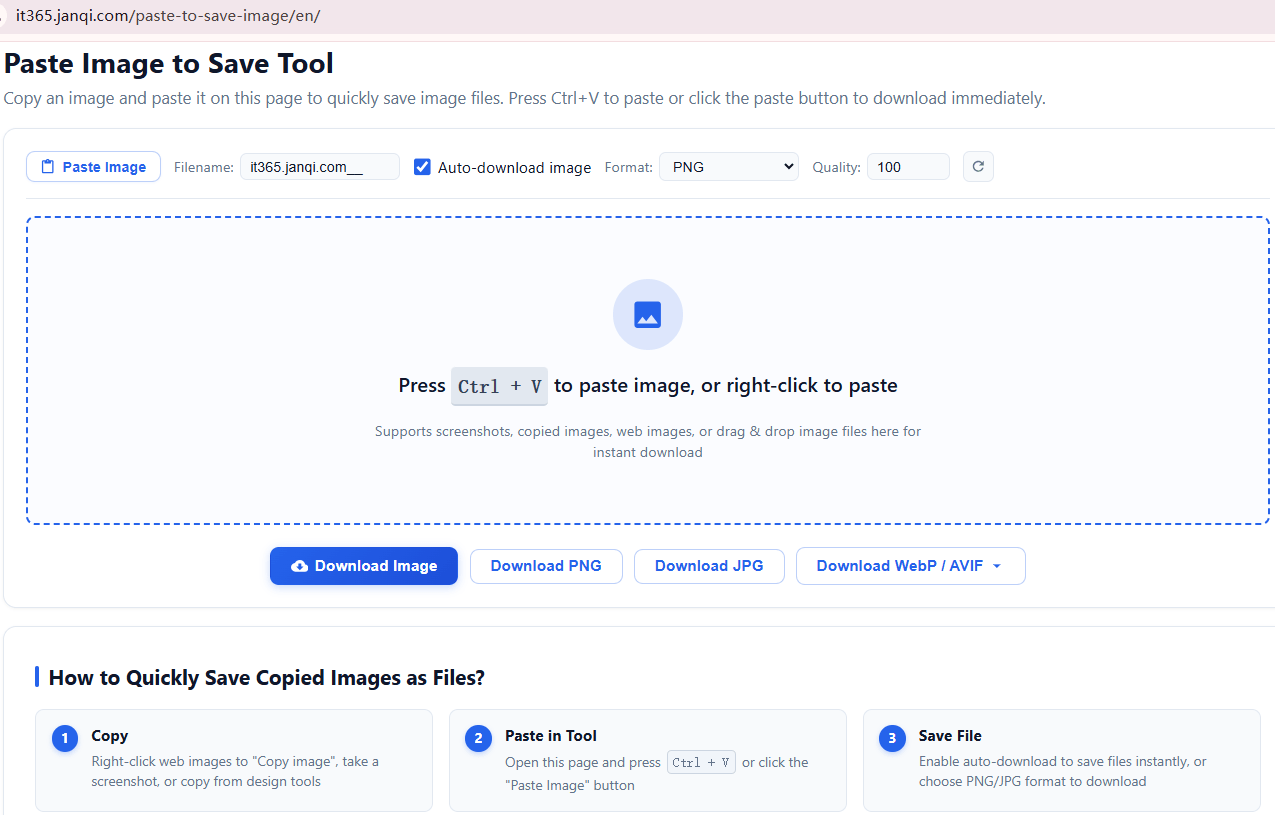
Why It Feels So Convenient
- Enable “Auto Download” for zero extra clicks: Toggle on the auto-download switch in settings. Once enabled, whenever you switch over and press
Ctrl + V, the download triggers automatically—no extra button clicks required. - Preserves transparent PNG backgrounds: Copying layers or graphics from Figma, Sketch, or transparent web assets? It fully retains the alpha transparency channel rather than filling in an ugly solid background.
- Flexible formats & file size control: Download pristine, lossless PNGs by default, or quickly export to lighter WebP, JPG, or AVIF formats.
- 100% Client-Side & Private: All image parsing and file generation happen strictly within your local browser memory. Nothing ever gets uploaded to a server, ensuring absolute privacy and instant speed.
- Works across devices: Fully functional on Windows, macOS, Linux, and even mobile browsers.
If you frequently need to pull screenshots or copied images out of your clipboard and onto your desktop or folders, bookmark this page for easy access: Paste to Save Image Tool.